



Feature
UXUI
WEB
mobile
Research
Pixel-precise design fully integrated into WhatsApp's native design system - academic project
In-chat smart translation - language detection, preview before sending, voice translation, summaries
Foreign-language work conversations on WhatsApp force users into external tools, breaking flow and confidence in writing
This project explores the design of a smart in-chat translation feature for WhatsApp, aimed at improving communication in conversations conducted in foreign languages. The focus is on creating a seamless, intuitive experience that keeps users inside the conversation flow, without switching between external tools.
How can WhatsApp help users
maintain a smooth and seamless
conversation in a foreign language?
The challenge is not the lack of translation tools, but the lack of contextual, intelligent translation.
Users can technically translate messages using existing tools, but these translations are often literal, disconnected from the conversation, and require switching context.
What’s missing is a smart, AI-driven translation that understands the flow of the conversation, preserves meaning and tone, and delivers accurate, natural-language translations in real time — directly within the chat.
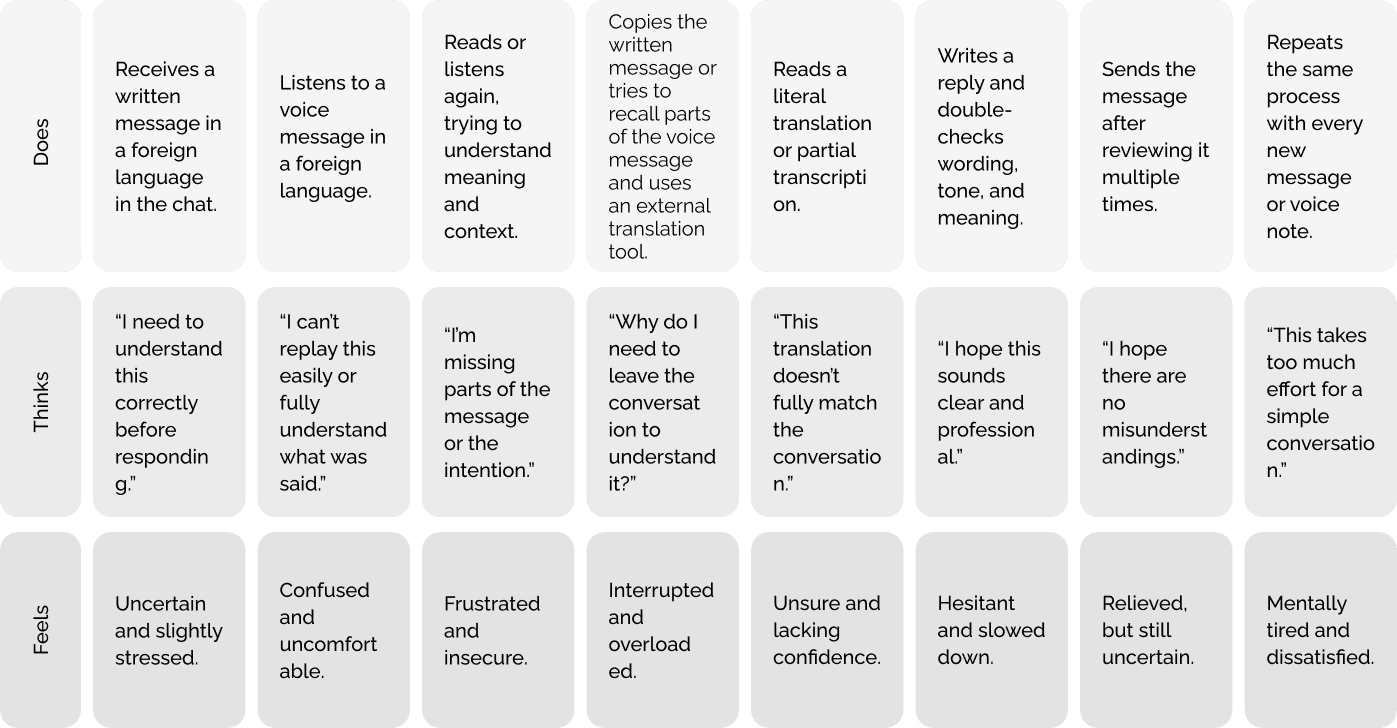
Users who manage conversations in a foreign language experience:
Riki
33
Israel
UX & Product Designer
Riki is a UX and product designer who works in collaboration with developers from different countries as part of her studies and professional projects.
Her work combines research, product thinking, and interface design, often within international teams.
She is required to manage professional communication in English and, at times, in additional languages. In order to be clear, accurate, and professional, this communication demands extra effort, time, and mental resources.
Riki’s success depends heavily on effective communication, especially when working with distributed, international teams.
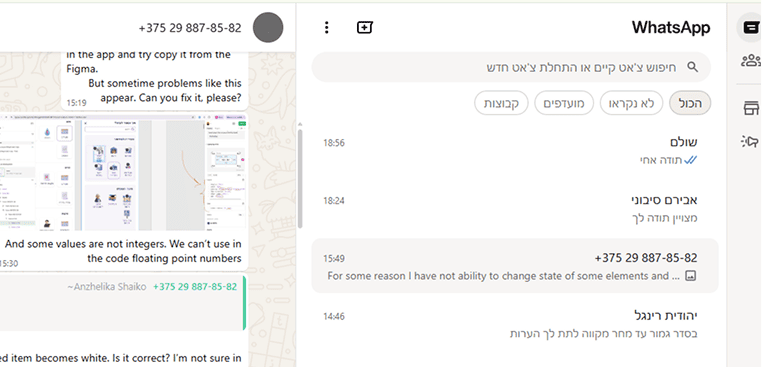
This project began from a personal challenge I encountered while working with global teams and managing conversations in different languages.
The core issue was not the lack of translation tools, but the lack of smart, context-aware translation that works naturally within the flow of the conversation.
To validate this challenge, user research was conducted to uncover shared needs and key insights.
How might we enable instant understanding of foreign messages without breaking the chat flow?
רבקה וינברג RW
How might we present translations without replacing or hiding the original message?
רבקה וינברג RW
How might we give users control over when and how translations appear?
רבקה וינברג RW
How might we reduce cognitive load in long, multilingual conversations?
רבקה וינברג RW
To better understand existing solutions and identify gaps, a competitive analysis was conducted.

Offers real-time message translation as part of its premium features.

Provides automatic translation for entire emails, mainly for long-form content.

Supports live captions and translation during meetings, focused on spoken communication.

Offers live captions and subtitles with language selection for meetings and structured communication.

Provides a “See Translation” option for posts, comments, and messages.
A simple, intuitive WhatsApp solution for managing conversations in a foreign language.
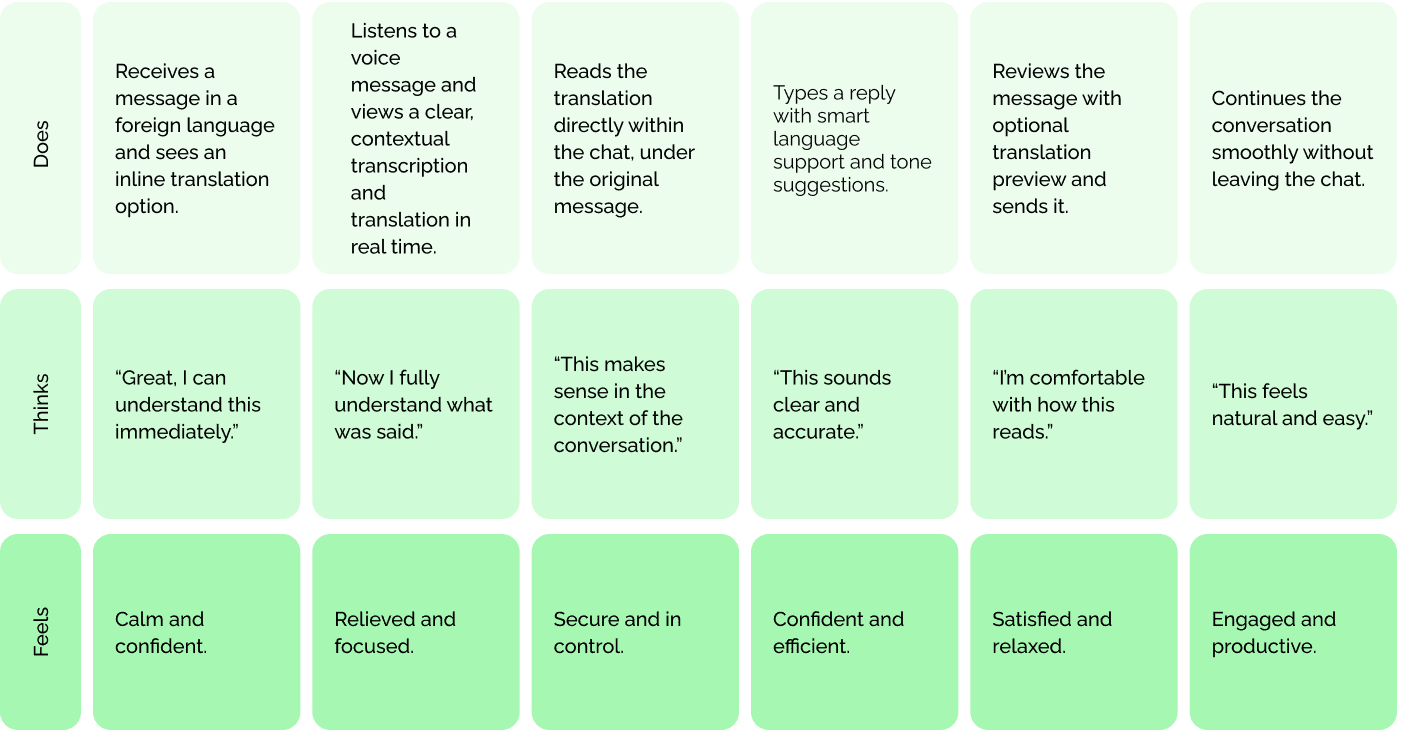
Based on the research findings and user journey analysis, the following key UX decisions were defined.
A Smart Translation feature integrated directly into the chat interface:
This approach preserves context, reduces friction, and keeps the experience focused and natural.
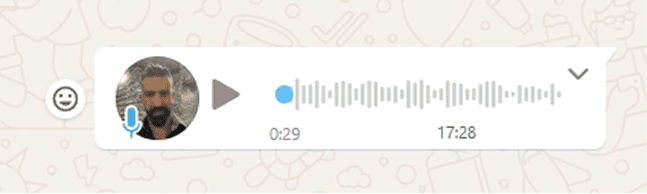
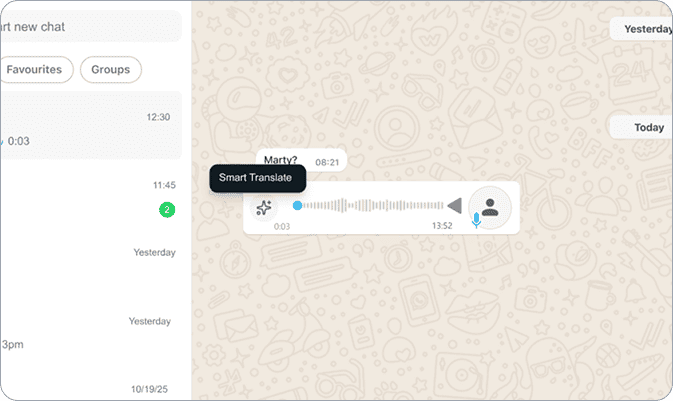
→ Next to the voice message play button, an icon indicating voice transcription
→ Add a translation button to voice messages
→ Would you like a summary of the last conversation in your own words?
→ Would you like to translate the conversation?
01.
Smart Message Translation
This feature enables users to communicate confidently in a foreign language by translating messages before sending, directly within the chat. Instead of relying on external tools or rewriting messages multiple times, users receive smart, context-aware translation support as part of the natural writing flow.
The experience is designed to feel seamless and familiar, blending into WhatsApp’s existing interface while providing clear AI assistance when needed. By supporting understanding and confidence at the moment of writing, the feature reduces friction and helps users focus on the conversation itself rather than on the translation process.
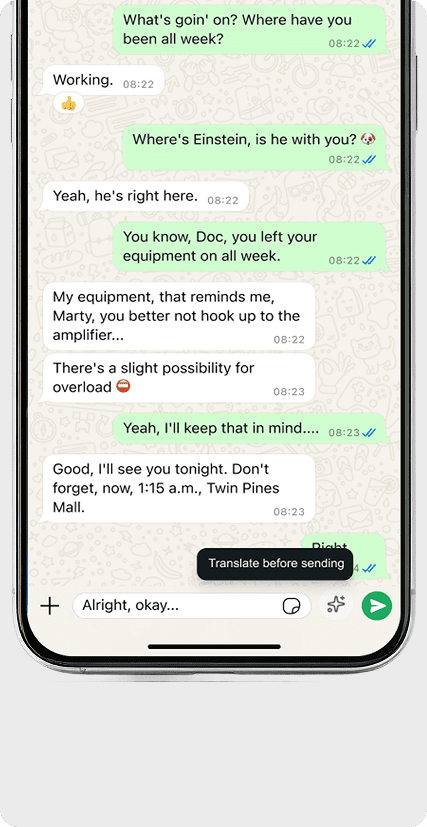
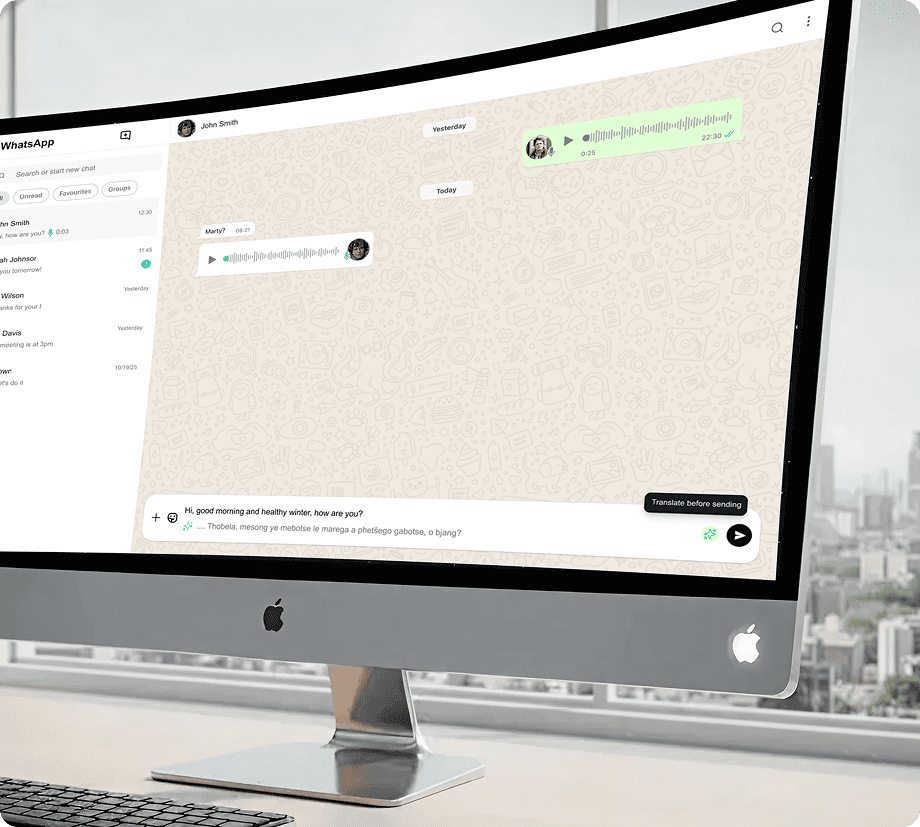
The icon appears only when the system detects that the user is writing in a foreign language, signaling that AI assistance is available. Its subtle animation draws attention without interrupting the writing flow, offering help only when it is contextually relevant.
Before Activation
A small explanatory chip appears on hover, clarifying the purpose of the AI button and indicating that smart translation support is available.
Translation Preview Before Sending
After activating the feature, an inline translation appears below the original text. Both the original and translated texts are editable simultaneously, allowing the user to refine the message while keeping full control. Only the translated version will be sent.
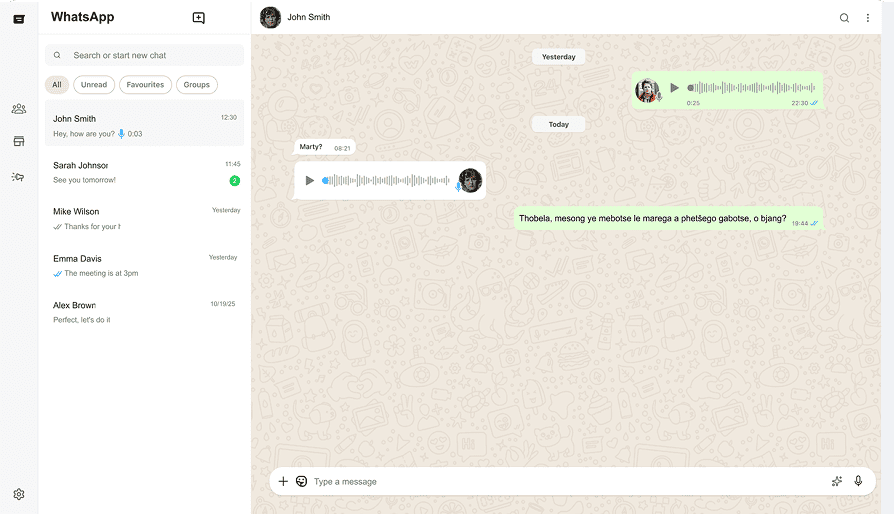
Message Sent
The message is sent as a natural, AI-translated message that fits the conversation flow, without exposing the original text.
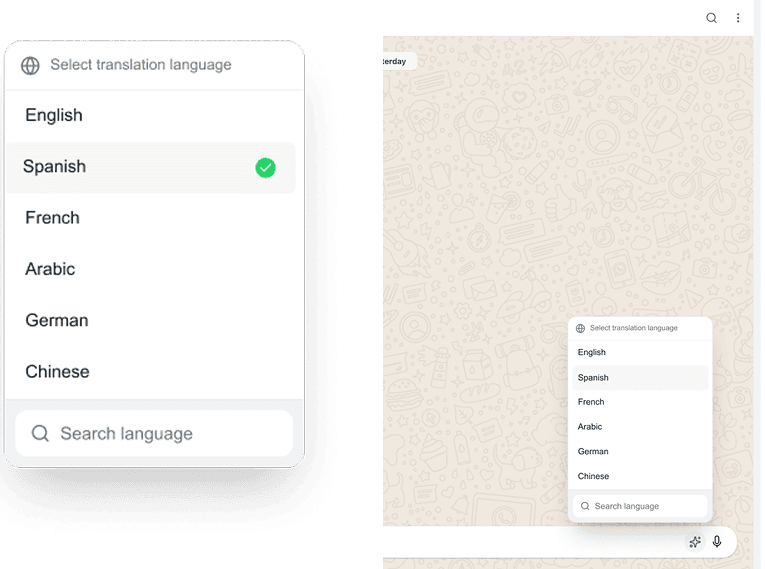
Language Selection on Message Creation
When the user starts writing a message in a foreign language, the AI icon appears to indicate that translation support is available. By opening the language selector, the user can choose the target language from a familiar list or search for another language, all within WhatsApp’s native UI.
02.
Voice Message Translation
This part of the feature focuses on understanding voice messages in a foreign language without breaking the conversation flow.
The translation experience is designed to stay fully inline within the chat, avoiding popups or context switches, and supporting fast, natural conversations — just like WhatsApp is meant to be used.
By keeping all interactions inside the message itself, users can quickly understand spoken content while staying focused on the conversation.
Smart Message Translation
The icon appears only when the system detects that the user is writing in a foreign language, signaling that AI assistance is available. Its subtle animation draws attention without interrupting the writing flow, offering help only when it is contextually relevant.
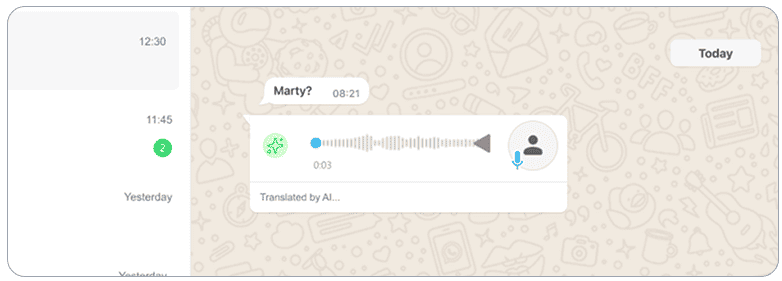
Processing
State
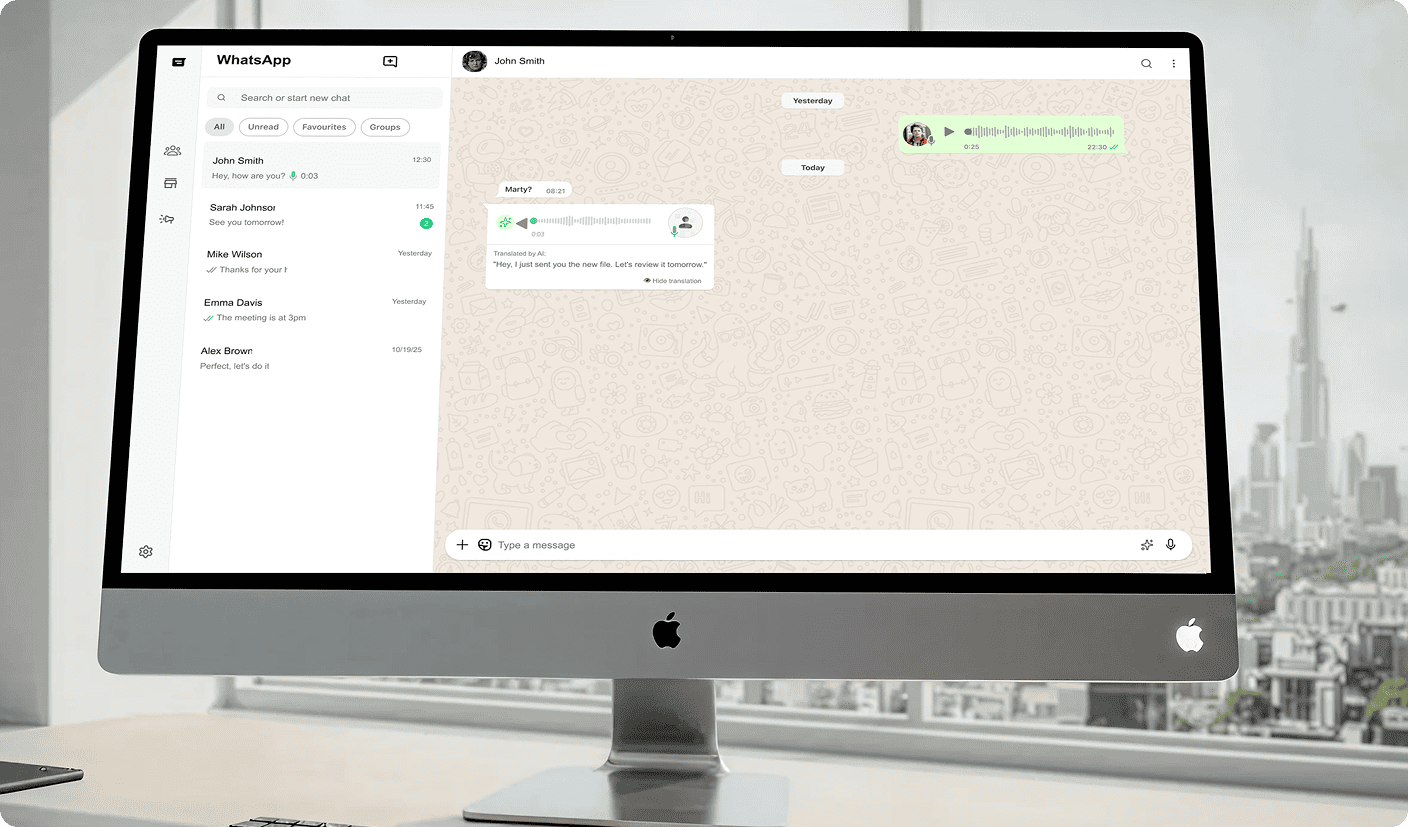
After activation, a brief “thinking” state is shown. This intentional delay communicates that the translation is AI-powered and context-aware, reinforcing trust rather than feeling like an instant, mechanical translation.
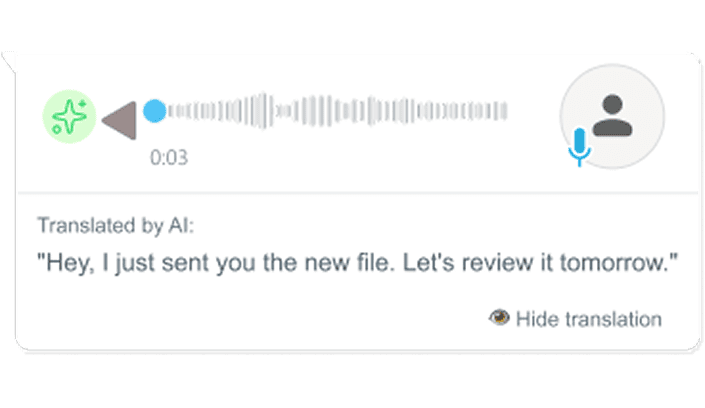
Inline Translated Transcript
The translated transcription appears directly below the voice message, within the same message card. Users can read the translation in context and choose to hide it at any time, keeping the chat clean and fully under their control.
03.
Smart Conversation Summary
This feature provides a quick, AI-generated summary of conversations in a foreign language, designed for moments after the conversation has ended.
Rather than interrupting the chat flow, the summary is intentionally placed as an optional tool, allowing users to quickly recall what the conversation was about when returning later or reviewing past messages.
Because this feature is supportive rather than critical during active messaging, it is kept out of the main interaction and offered only when explicitly requested.
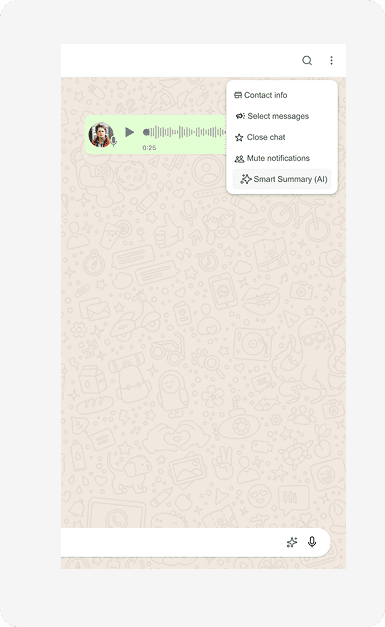
Accessing the Feature
The user can access Smart Summary from the chat menu at the top of the conversation. This placement keeps the feature available without adding friction or distraction during real-time messaging.
Accessing the Feature
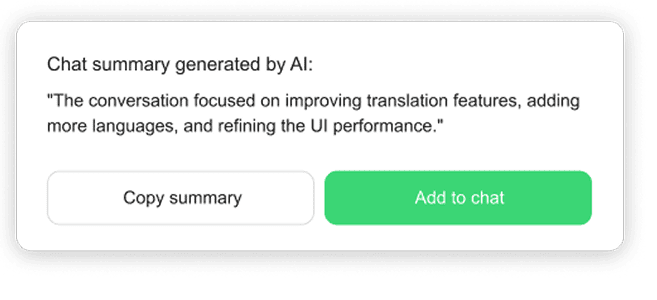
Suggested privacy copy for the popup:
This summary is visible only to you
and is not shared with the other participant.
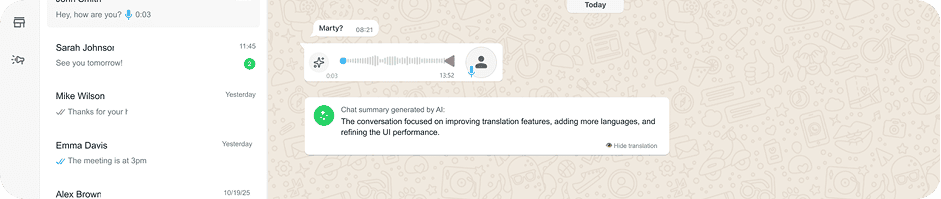
Smart Summary Generation
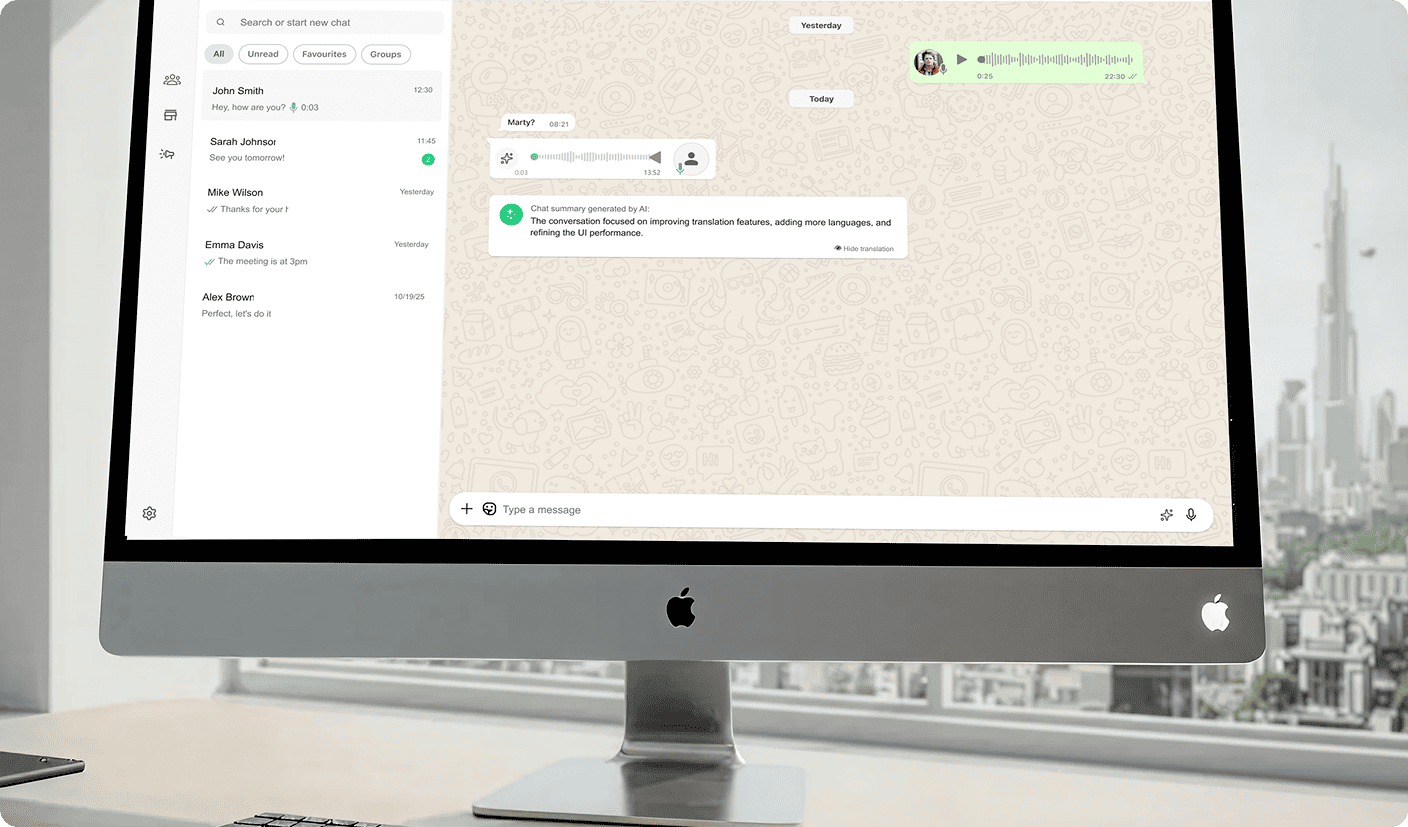
Once activated, AI generates
a concise summary of the conversation
and displays it directly within the chat.
This allows users to quickly understand
the main topics discussed and easily
revisit previous conversations.
This feature provides a comprehensive solution for bridging language and cultural gaps in fast-paced communication, without disrupting WhatsApp’s natural conversational flow. By integrating AI-powered translation directly into writing, voice messages, and conversation summaries, users can communicate quickly and confidently across languages — without leaving the chat or slowing down the interaction.
Turned a real communication barrier into a seamless, in-context experience — with deliberate UX choices (on-demand summaries, a trust-building "thinking" delay) that prioritize user control over automation for its own sake.